
More in AI Search analytics
PROPELOS PARTNER PORTAL GUIDE
Check how a lead was delivered
Interpret email, CRM and webhook badges and find the available retry control.
Accounts with AI Search
In this guide
Check a lead's delivery badges to see whether its email, CRM or webhook delivery needs attention.
1. Open the lead
Go to AI Search → Leads and select the enquiry.
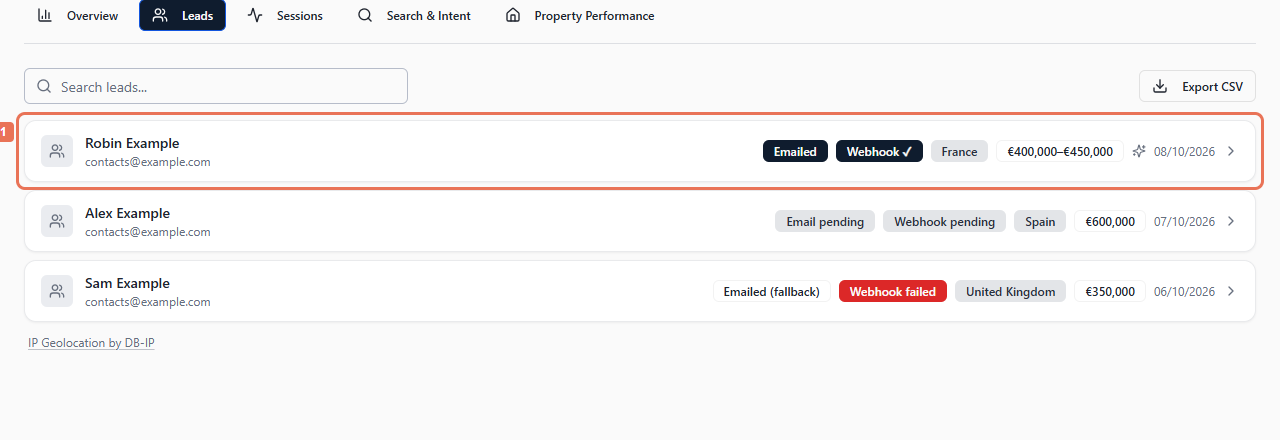 Select the image to view it full size.
2. Read the delivery badges
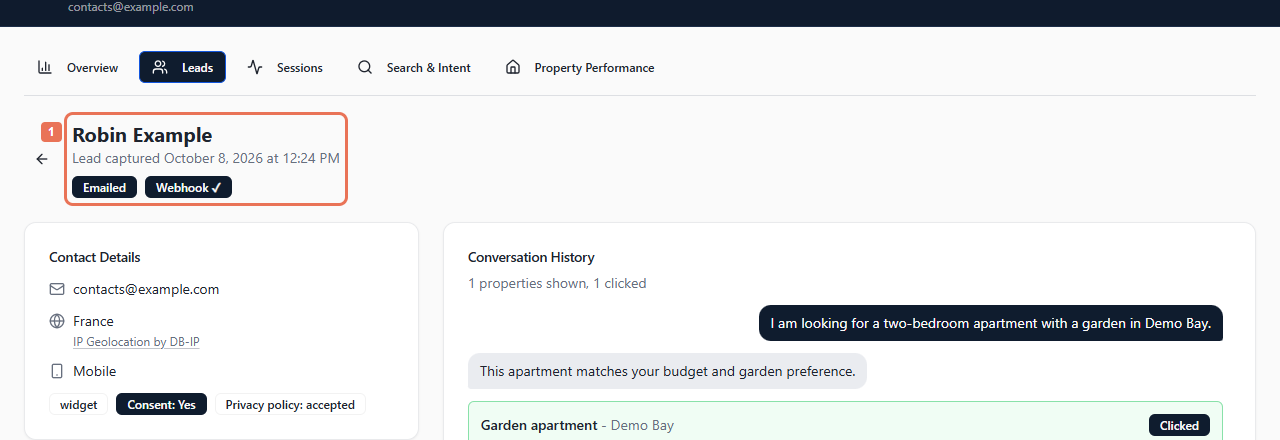
Look below the lead's name. The agency delivery badge can show Emailed, Emailed (fallback), an email or CRM pending/failed status, or the name of a successful CRM connection. A configured webhook has its own badge.
 Select the image to view it full size.
Email fallback means email was used after the usual CRM route could not deliver. A missing badge means no status is shown for that channel.
3. Retry a failed webhook
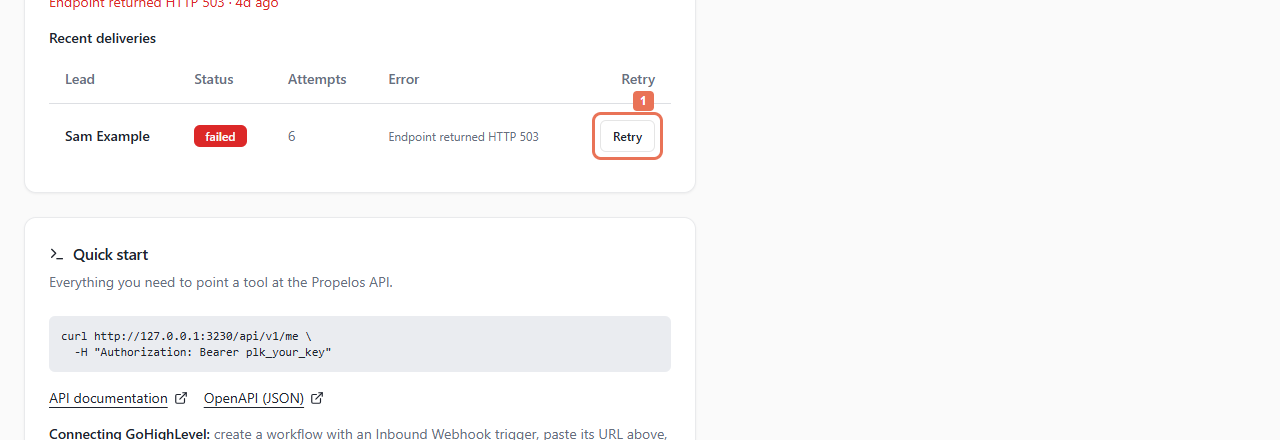
After correcting the receiver's problem, open Account → API. Under Recent deliveries, find the enquiry and select Retry on its failed row.
 Select the image to view it full size.
Retry scheduled means another attempt is planned. A successful webhook means the receiver accepted it; check the receiving system to confirm later processing.
For an email or CRM failure, contact Propelos with the account, lead name, capture time and badge text. Lead details have no CRM retry control. Do not send passwords or API credentials.