
More in Account and integrations
PROPELOS PARTNER PORTAL GUIDE
Create and revoke a Partner API key
Create a named read-only API key, copy it once and revoke unused integrations.
Accounts with AI Search
In this guide
Create a read-only key so your tool can retrieve this account's supported leads and analytics.
1. Open API keys
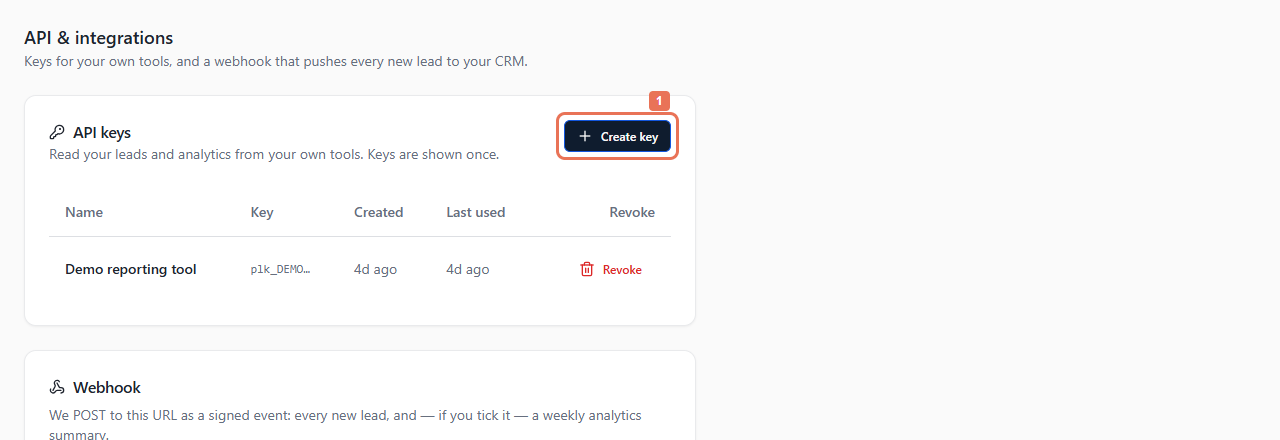
Open Account → API. Under API keys, select Create key.
 Select the image to view it full size.
2. Name and create it
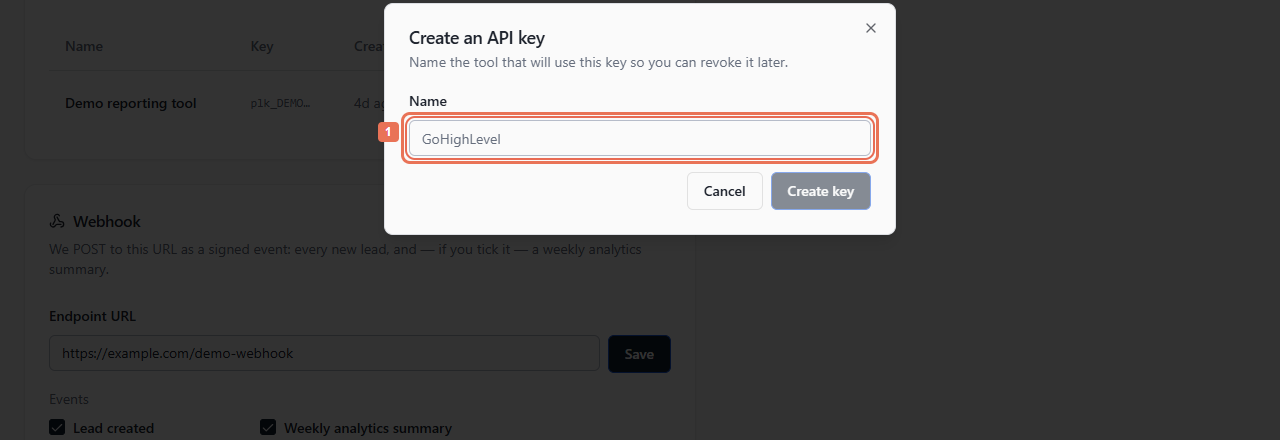
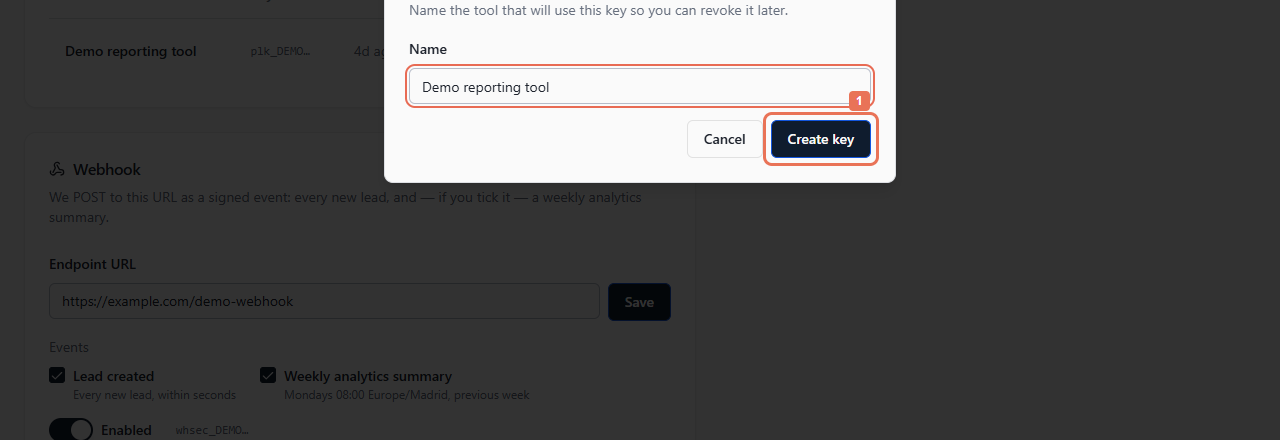
Enter a Name identifying the tool, then select Create key. An account can hold ten active keys.
 Select the image to view it full size.
 Select the image to view it full size.
3. Copy the key once
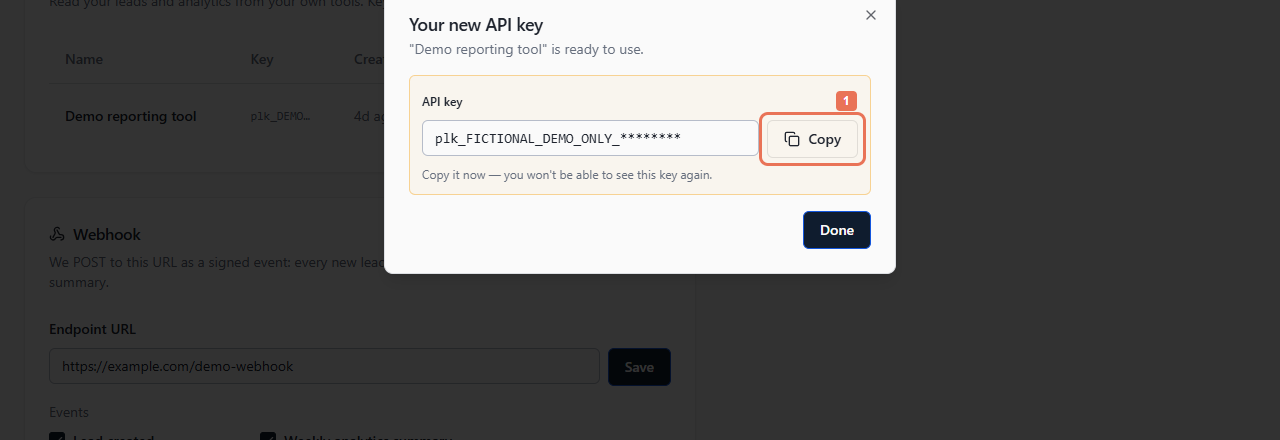
In Your new API key, select Copy and store it in the receiving tool's secure configuration. Select Done after saving it. The complete key is shown only once; the list later shows its prefix and usage information.
 Select the image to view it full size.
Use Quick start → API documentation or OpenAPI (JSON) for endpoints, authentication, pagination and limits. The key reads supported data for this account and cannot change Finder settings. A webhook uses its own signing secret.
4. Revoke an unused key
Find its name/prefix and select Revoke. Review Revoke this key?, then Revoke key. Revocation takes effect immediately, so tools using it stop authenticating. Replace a working key in its tool first if service must continue.
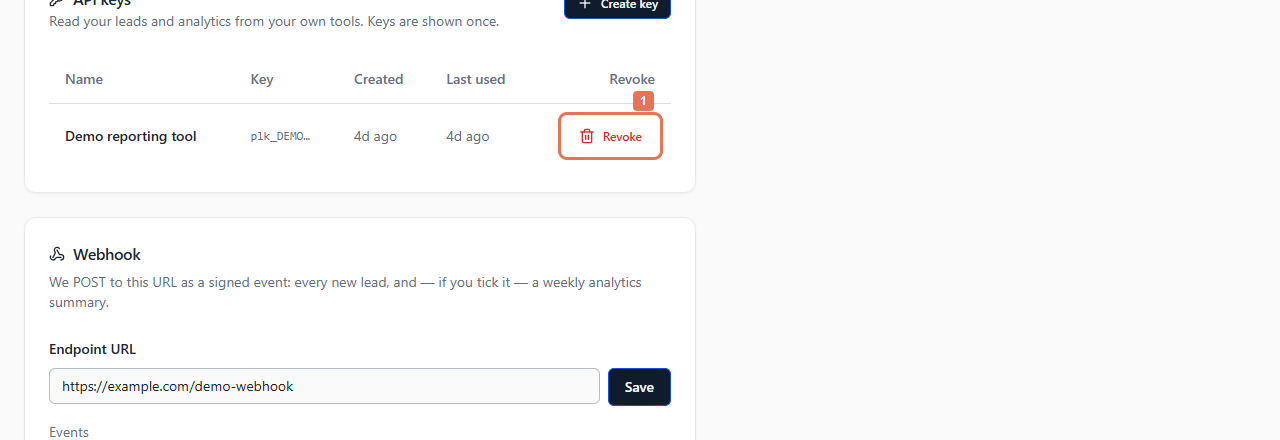 Select the image to view it full size.
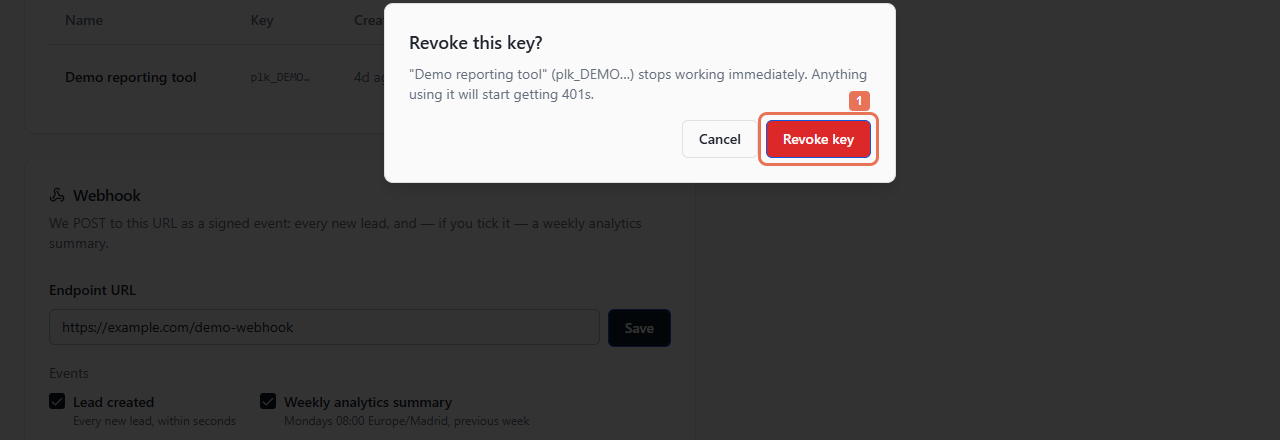 Select the image to view it full size.
If a key is lost, create a replacement and revoke the unused one. API access depends on AI Search; read-only views hide keys and secrets.