
More in Menus and shared sections
PROPELOS CMS GUIDE
Link to a selected group of properties
Add a menu link to filtered property results, such as your exclusive listings.
Shared sections → Menus
In this guide
Give visitors a direct route to a useful group of homes. For example, a menu link can open the property results with the exclusive-listing filter already applied.
1. Add a menu item
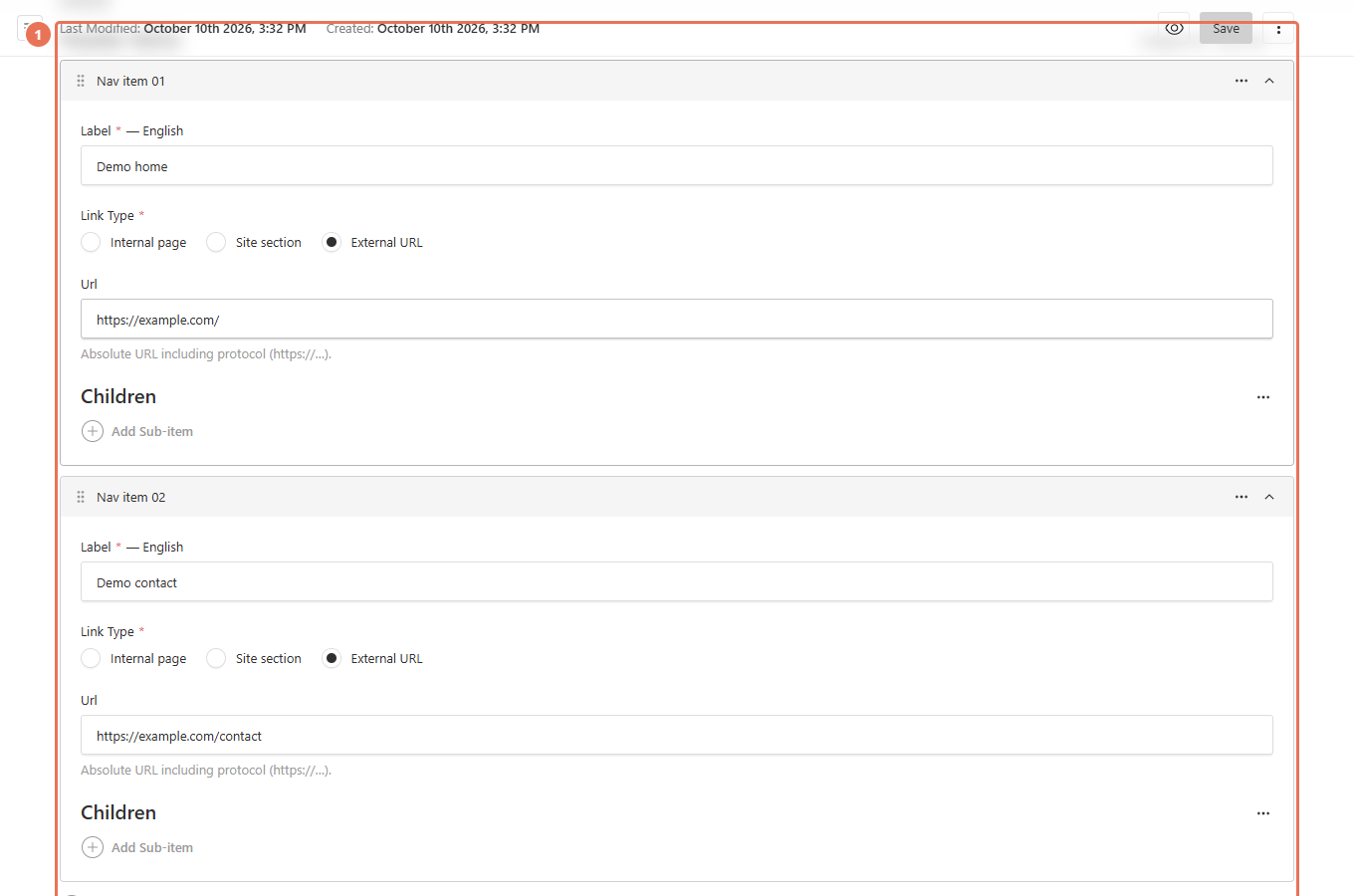
Open Shared sections → Menus and expand the Header items. Add an item, or edit the link you want to use for the group of homes.
 Select the image to view it full size.
2. Choose the results page
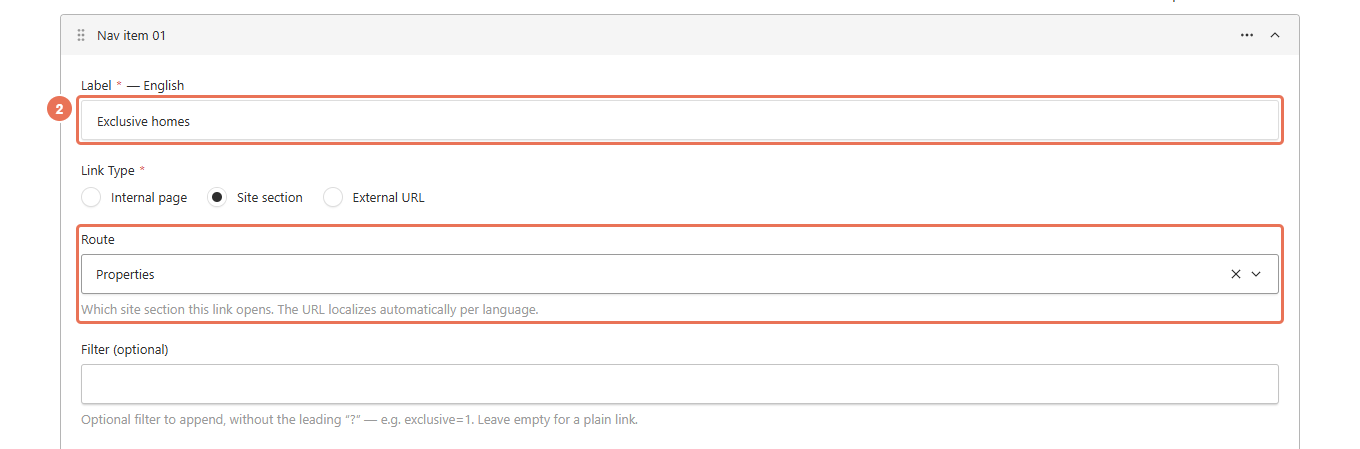
Enter a clear Label, such as “Exclusive homes”. Choose Site section under Link Type, then select Properties in Route.
 Select the image to view it full size.
3. Add the results filter
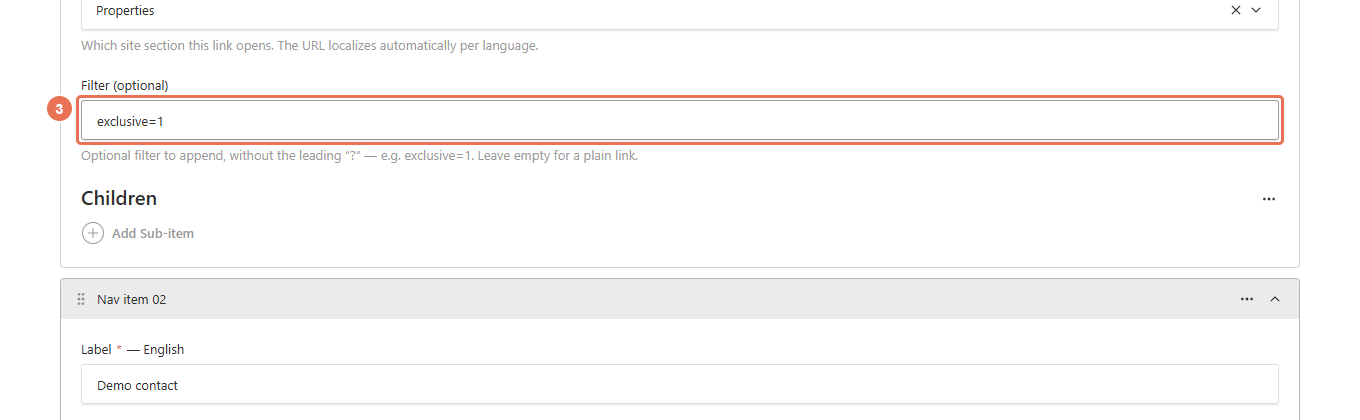
Enter exclusive=1 in Filter (optional) to show exclusive listings. For a different group, use the filter from a working results-page address, without its leading ?; do not include the full website address in this field.
 Select the image to view it full size.
4. Save and test the destination
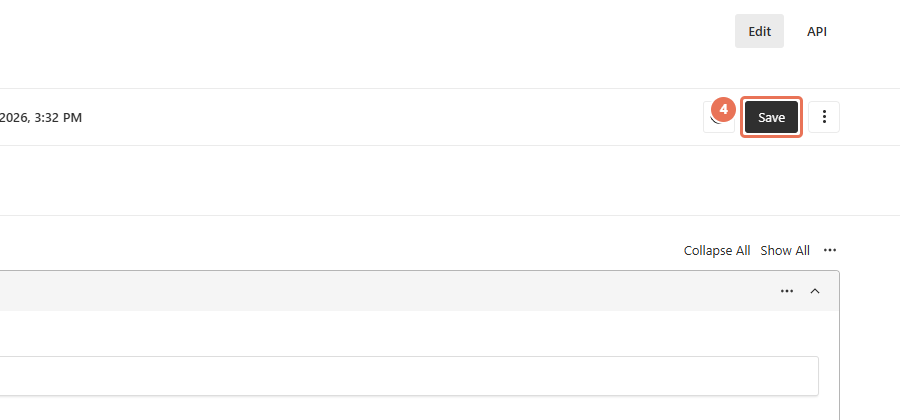
Click Save to put the menu link on the website immediately. Open it on the public website and check the results and phone layout; test the link in each website language you use.
 Select the image to view it full size.
A filtered results link keeps showing homes that match the criteria as your catalogue changes. If you need a page with a hand-picked list and its own introduction, ask Propelos about that page’s layout before promoting its address.