
More in AI Visibility (GEO)
PROPELOS PARTNER PORTAL GUIDE
Review the sources cited by AI assistants
Compare cited domains and source types, read citation counts, and review search phrases exposed by AI assistants.
Accounts with a linked AI Visibility client
In this guide
See which domains AI assistants cited and which search phrases they exposed in your measured answers.
1. Open Sources
Open AI Visibility → Sources and choose Client when offered. Read Where the answers came from for the source-type mix over four weeks.
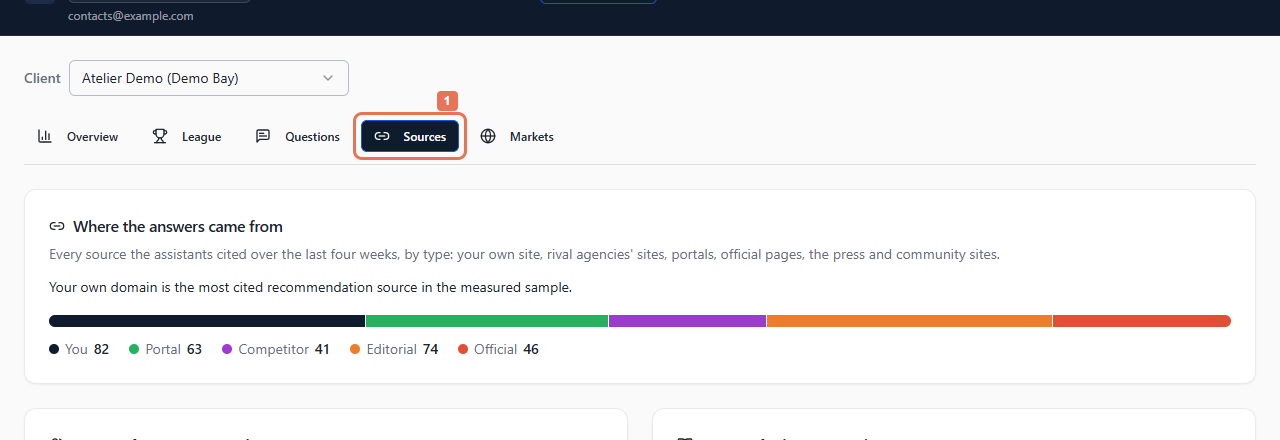 Select the image to view it full size.
2. Compare cited domains
Read Sources for agency questions and Sources for buyer questions separately. Compare each domain's type and citation count. The bars compare domains within that table.
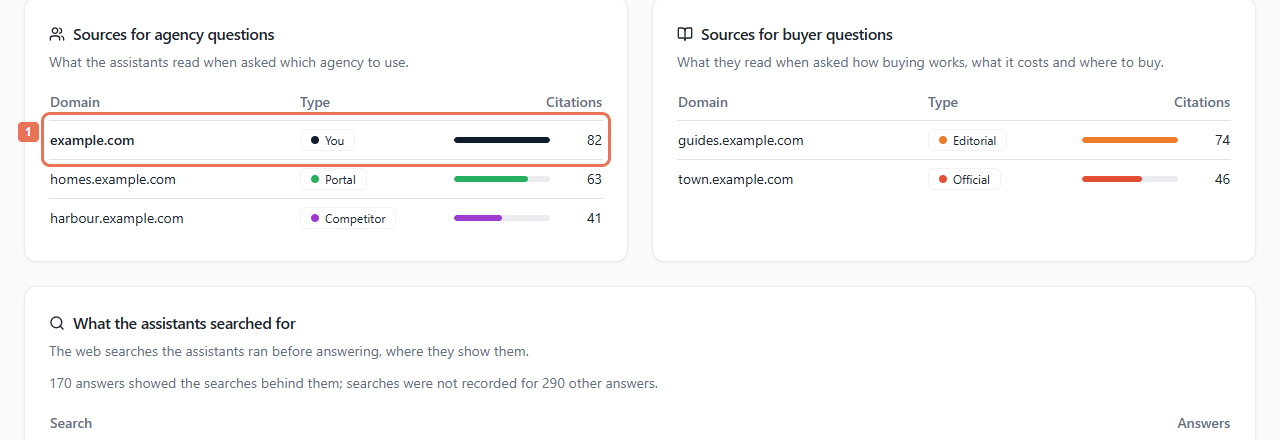 Select the image to view it full size.
The table lists domains without opening a cited page. Citations show evidence present in recorded answers; they do not establish that a page caused a recommendation or include every page considered.
3. Read the exposed searches
Scroll to What the assistants searched for. Review the phrases and answer counts, together with the note about assistants that did not expose searches.
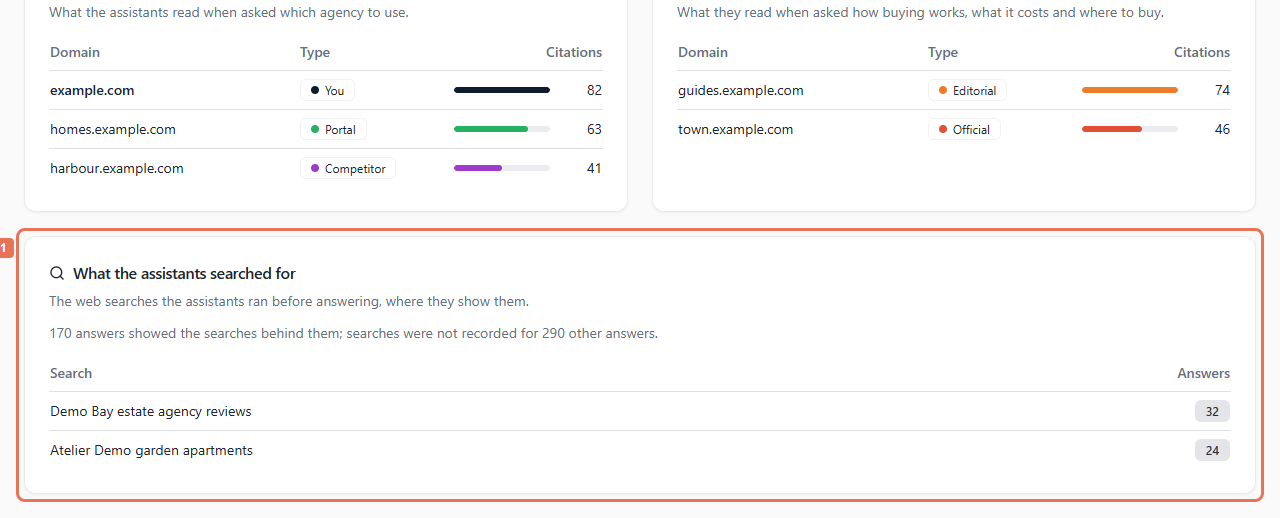 Select the image to view it full size.
Missing readable citations or searches describe unavailable evidence; they do not prove no information was used.
For Google keyword positions included in your account, open SEO → Rankings. There is no Search Console connection panel in this report; ask Propelos for help with Search Console access or reporting.