
More in AI Visibility (GEO)
PROPELOS PARTNER PORTAL GUIDE
Compare agencies and languages in the league
Read the agency league, watched rivals and language-specific results.
Accounts with a linked AI Visibility client
In this guide
Compare your agency with the measured rivals, then see how that comparison differs by language.
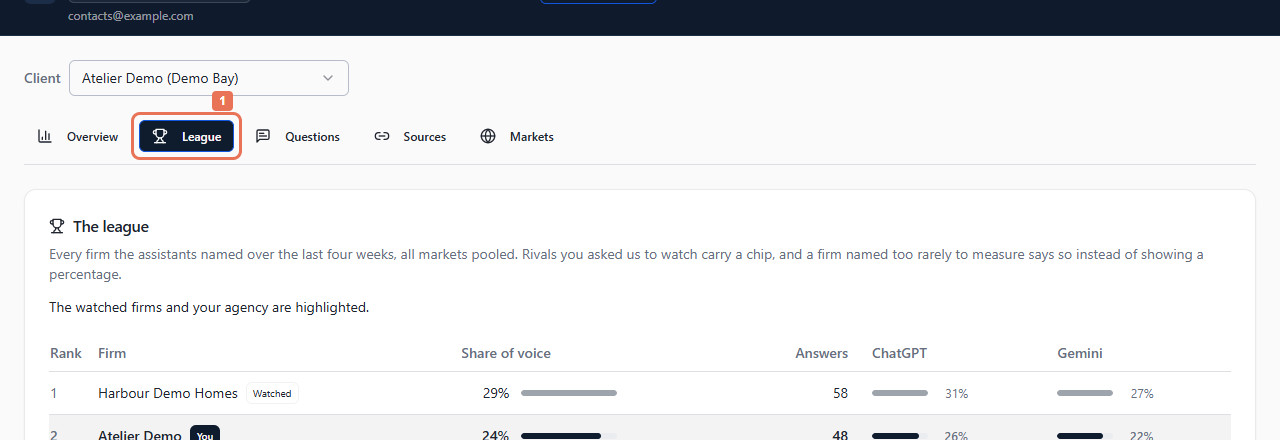
1. Open League
Open AI Visibility → League. Choose Client when your account has several linked brands or locations.
 Select the image to view it full size.
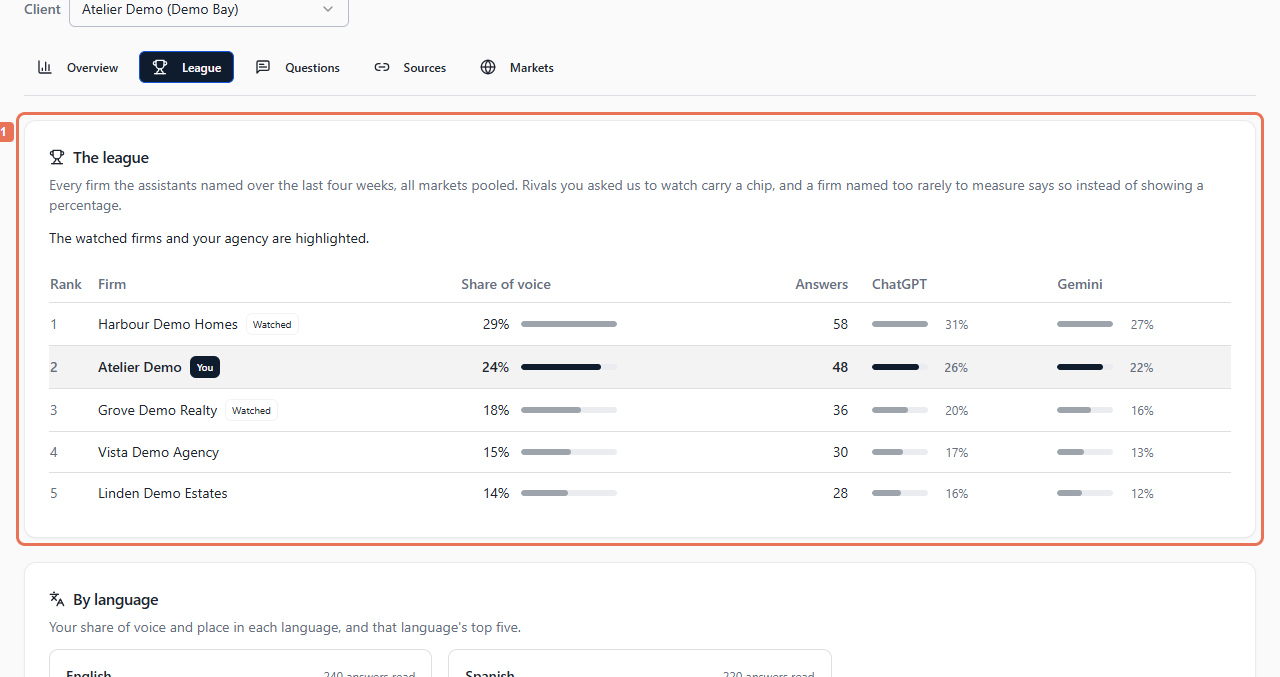
2. Read the agency rows
In The league, find your highlighted agency row. Compare its rank and share of voice with other agencies. A watched chip identifies a rival Propelos was asked to follow.
 Select the image to view it full size.
The combined league pools tracked markets over four weeks. Your agency can appear at its actual position outside the top five. A watched rival may be not named or not measured; the chip does not itself show a recommendation.
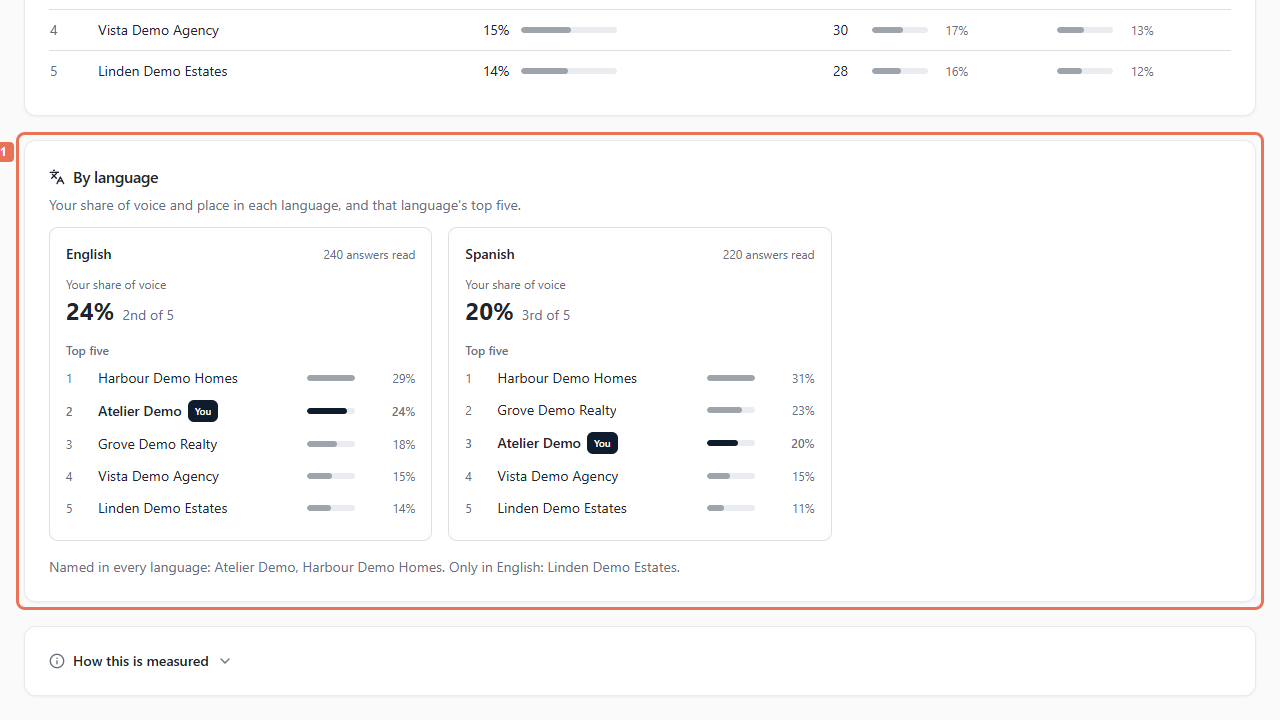
3. Compare languages
Scroll to By language. Compare the leading agencies and your position in each language, then read which agencies were named everywhere or only in certain languages.
 Select the image to view it full size.
Read How this is measured for weighting. Not measured differs from a measured answer that did not name an agency. Small answer counts may be insufficient for a reliable rank or share.
To change tracked rivals or languages, send Propelos the client, rival and market. Changes to the tracked set can affect future comparisons.