
More in AI Visibility (GEO)
PROPELOS PARTNER PORTAL GUIDE
Read tracked questions and AI answers
Review question results and expand the recorded answers behind them.
Accounts with a linked AI Visibility client
In this guide
Read the questions behind your visibility report and inspect their recorded AI answers.
1. Open Questions
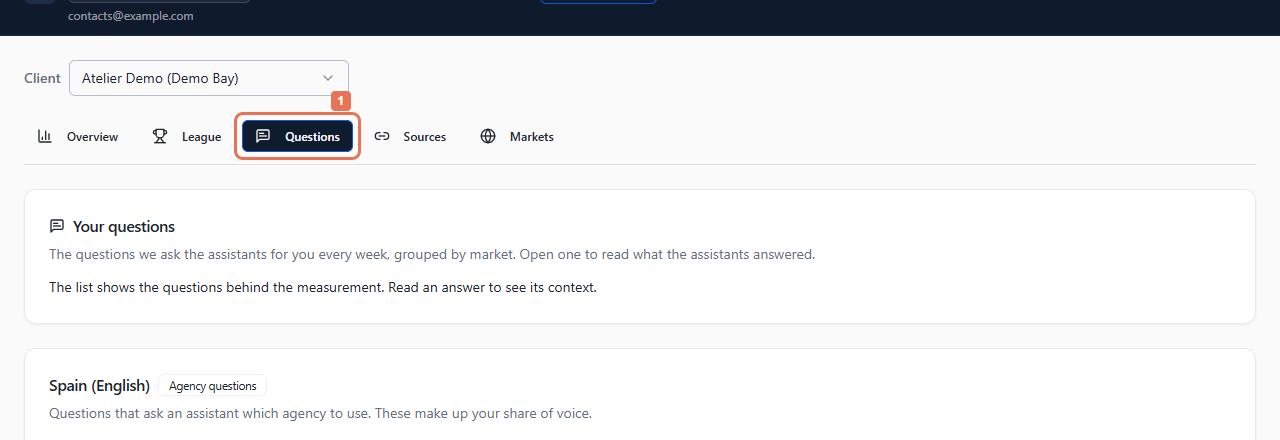
Open AI Visibility → Questions and choose Client when offered. In Your questions, read the groups by market and question type.
 Select the image to view it full size.
Agency questions contribute recommendations to share of voice. Buyer questions ask for buyer information. Your own question and Market question identify how the question belongs to the tracked set.
2. Open the recorded answers
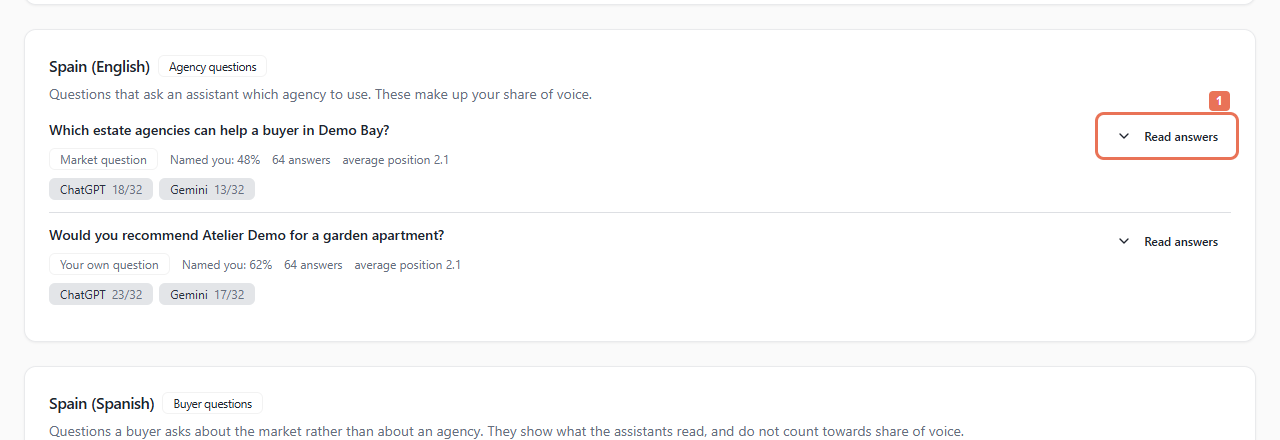
Review a question's Named you, answer count and average position when measured. Select Read answers.
 Select the image to view it full size.
3. Read and close the answer
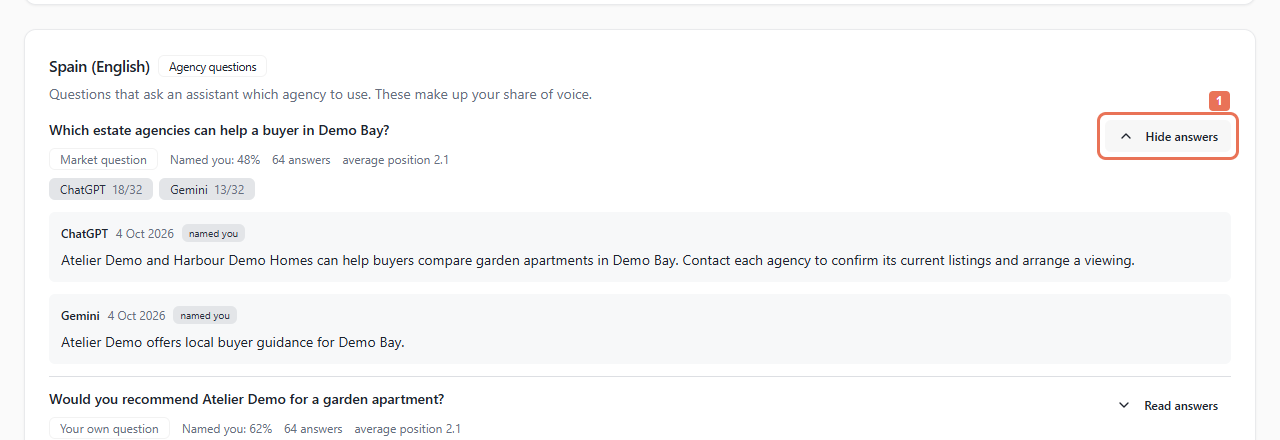
Read the assistant, answer date, searched the web or from memory label and whether it named you. Answer shortened for display means the displayed text is shortened. Select Hide answers to close it.
 Select the image to view it full size.
Answers belong to the loaded reporting window. Not asked yet appears before measurement. Being set up means the question is awaiting its measurement classification; use its on-screen explanation instead of treating the counts as a comparable share.
To change questions, send Propelos the client, country, language and proposed wording. This screen has no question editor or Ask now control.