
More in AI Visibility (GEO)
PROPELOS PARTNER PORTAL GUIDE
Compare AI visibility across markets
Compare country and language results and inspect differences between assistants.
Accounts with a linked AI Visibility client
In this guide
Compare visibility in each country/language market and see how assistants differ.
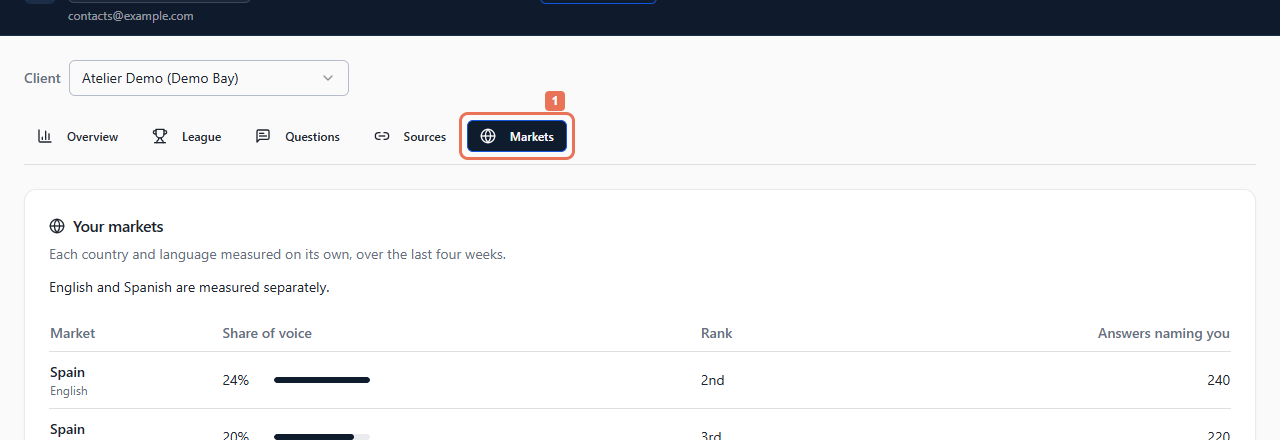
1. Open Markets
Open AI Visibility → Markets. Choose Client when your account contains several brands or locations.
 Select the image to view it full size.
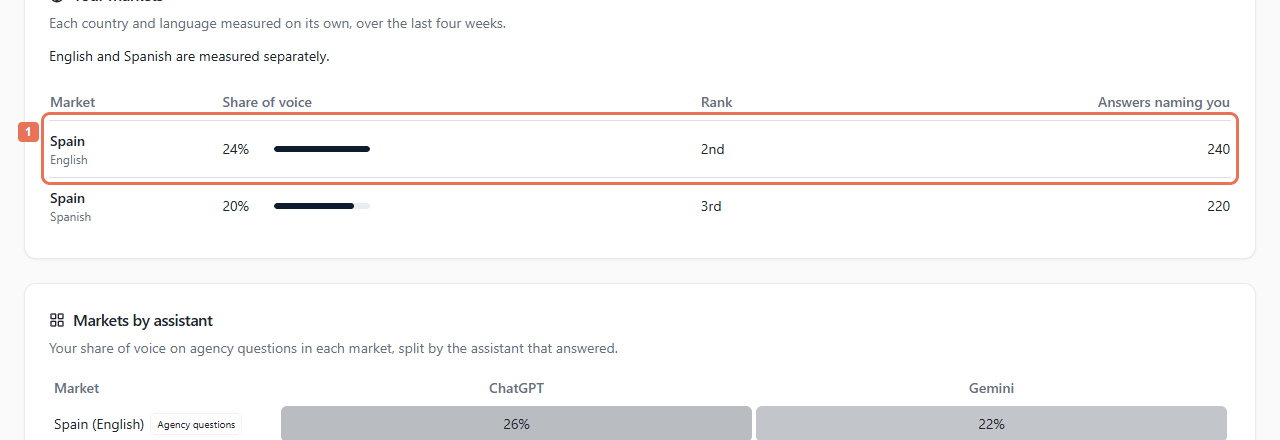
2. Compare market rows
In Your markets, compare Share of voice, Rank and Answers naming you. Read notes beside unavailable or insufficient measurements.
 Select the image to view it full size.
Every market is measured separately over four weeks. Answers naming you is a count; share of voice is weighted. Rank is within that market and may differ from the combined league.
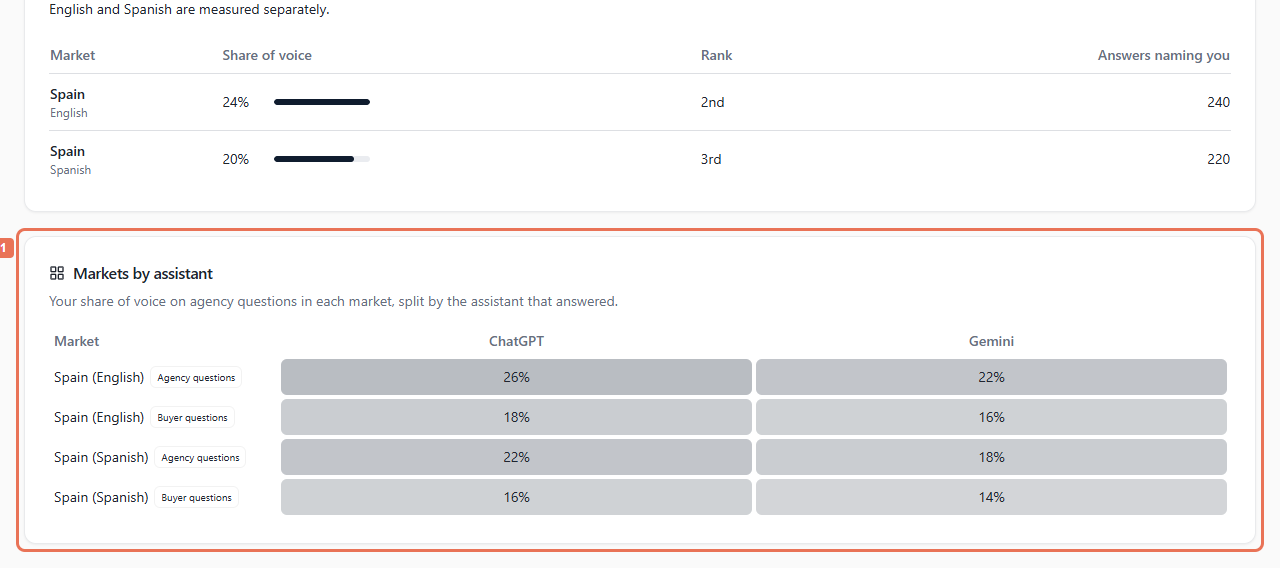
3. Compare assistants
Read Markets by assistant to see each assistant's result in each market. Keep agency and buyer question measures separate where labelled.
 Select the image to view it full size.
Insufficient evidence differs from a measured zero. To change country, language or tracked questions, contact Propelos with the client and exact combination. Changes can alter future comparisons.