
More in AI Visibility (GEO)
PROPELOS PARTNER PORTAL GUIDE
Read your AI visibility and its history
Understand the latest AI visibility window, share of voice, rank and changes over time.
Accounts with a linked AI Visibility client
In this guide
See how often AI assistants recommend your agency and how its position changes over time. AI Visibility uses a rolling four-week window, refreshed after Sunday's measurement.
1. Open Overview and choose your client
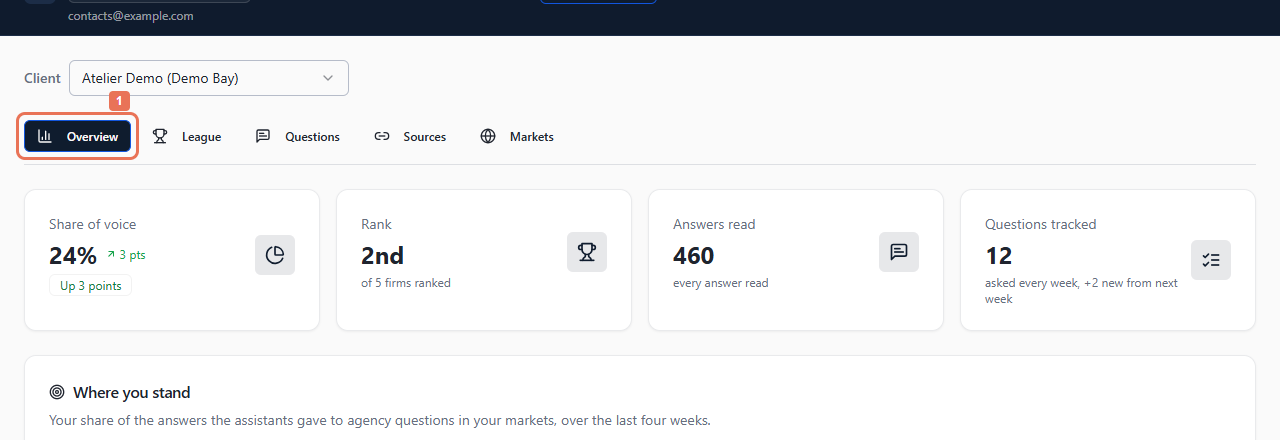
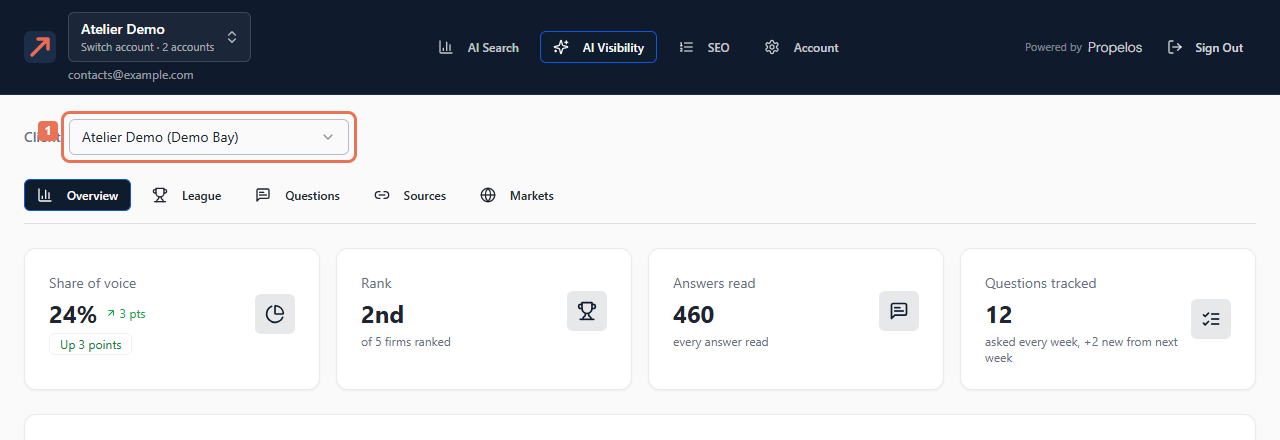
Open AI Visibility → Overview. If Client appears, choose the brand and location you want.
 Select the image to view it full size.
 Select the image to view it full size.
Read the window and any notice that answers are still being read. The headline figures show Share of voice, Rank, Answers read and Questions tracked.
2. Compare history
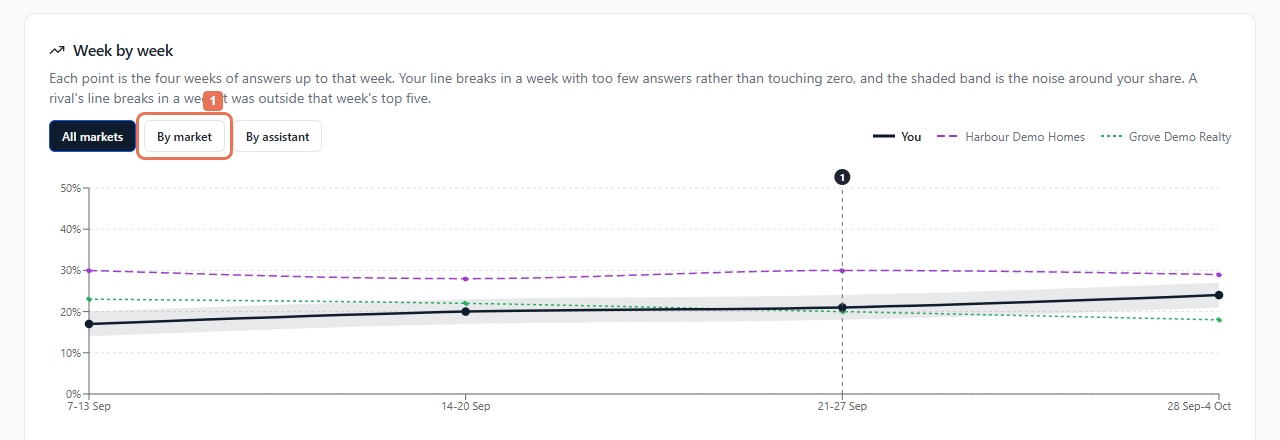
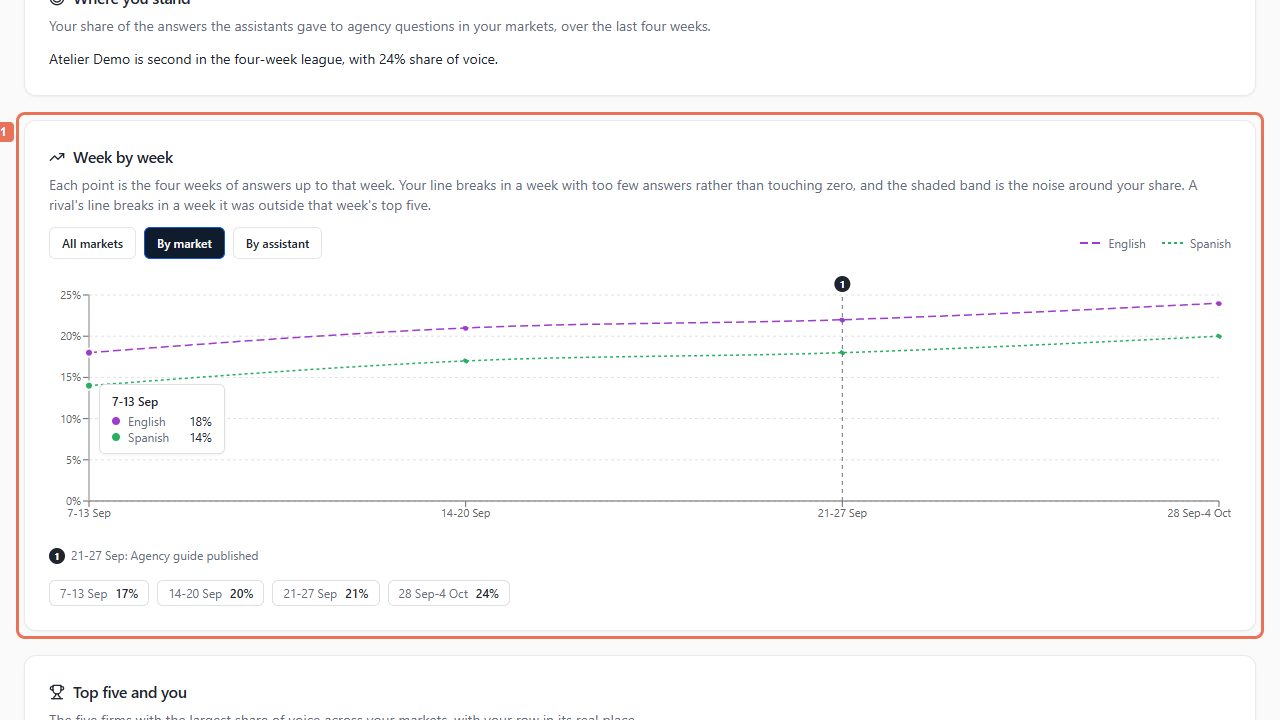
Find Week by week. Choose All markets, By market or By assistant to inspect the available histories.
 Select the image to view it full size.
 Select the image to view it full size.
Every point covers four weeks ending at that point. Changes are percentage points; the shaded band shows uncertainty. A gap means too few answers, and a rival's line may end outside the stored top five. Neither means zero.
3. Read the comparison and method
Scroll to Top five and you, then How this is measured. Share of voice weights agency recommendations by their position and represented assistants. It is not simply the percentage of all answers naming you. Buyer questions do not contribute to this measure.
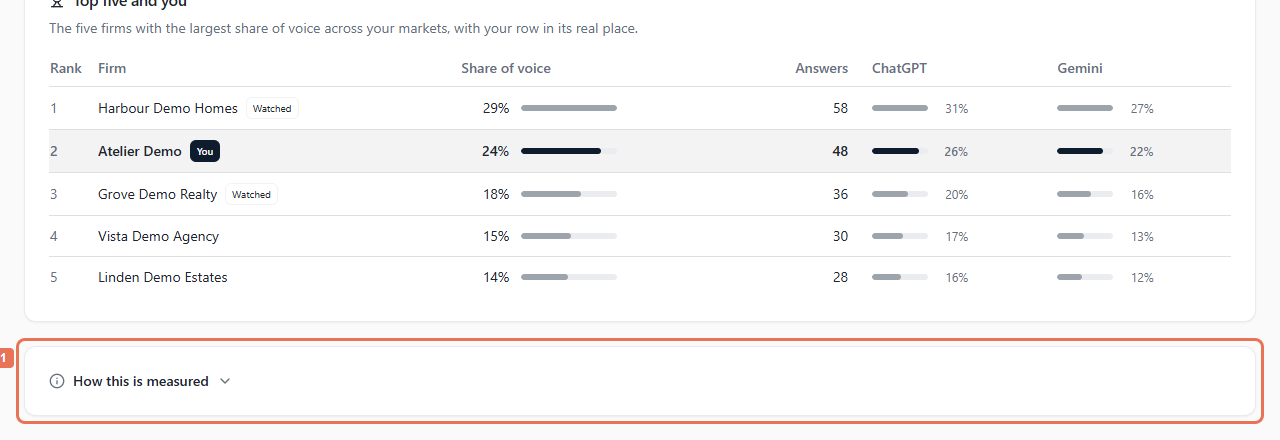 Select the image to view it full size.
All tabs for the selected client share the loaded window. History notes describe changes; there is no date picker for earlier reports. Before the first measurement, follow Your first week is still to come to review questions. Use on-screen explanations for collecting, unranked or incomplete results.