
More in Leads and CRM
PROPELOS CMS GUIDE
Read an emailed property shortlist
Find the visitor’s shortlisted homes, check the lead hand-off and track follow-up.
Websites with Saved properties and Email my shortlist
In this guide
When a visitor emails a shortlist, the website emails their selected homes to them and notifies your agency. The shortlist arrives as one enquiry covering the homes.
1. Find the shortlist enquiry
Click Enquiries under Leads and look for Emailed shortlist in the Type column. To filter by Type, enter saved-shortlist, then open the person’s enquiry.
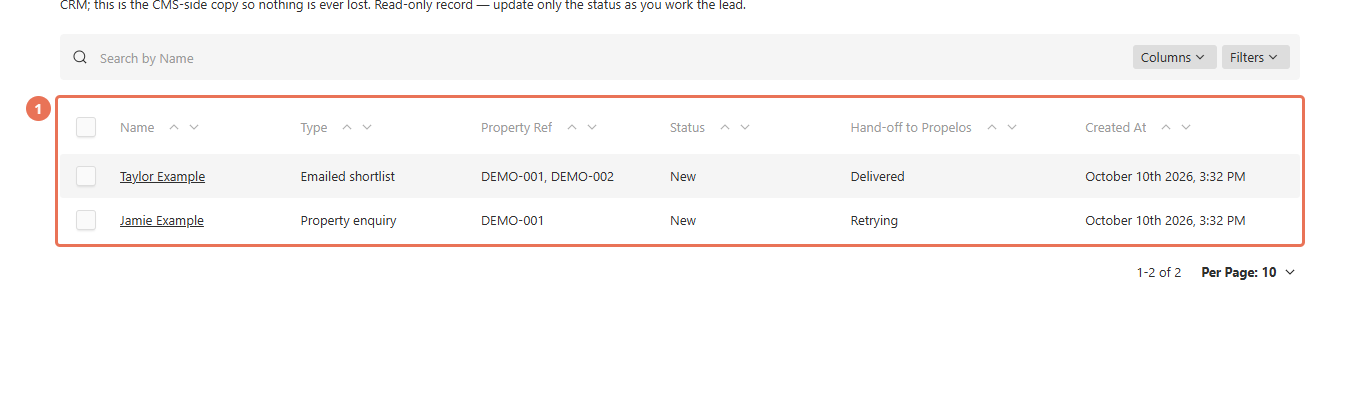 Select the image to view it full size.
2. Read the requested homes
Review Email, Name and Message. The message names the homes in the shortlist; if the visitor gave no name, their email appears as the name.
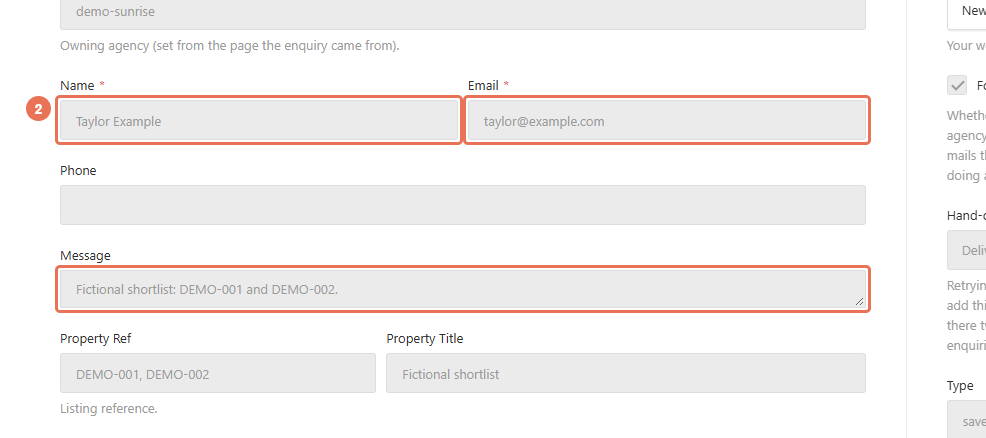 Select the image to view it full size.
3. Check the lead hand-off
Read Hand-off to Propelos. Delivered means Propelos accepted the lead; Retrying means automatic attempts are still running; do not add it to the CRM manually.
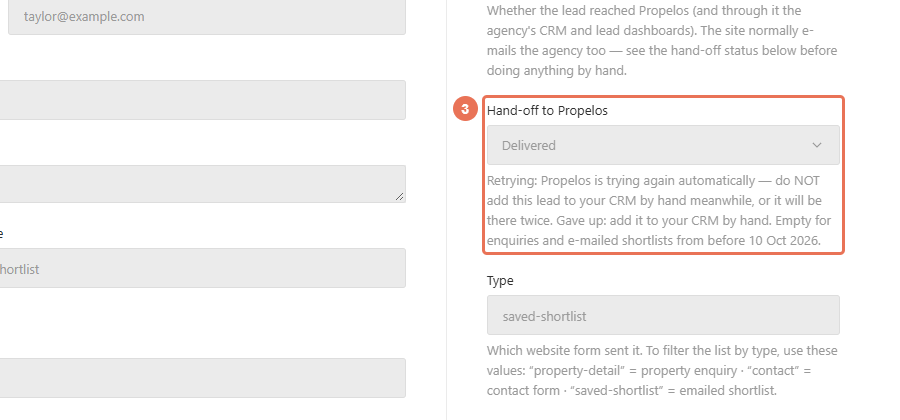 Select the image to view it full size.
4. Save your follow-up status
Contact the visitor through your usual team tools. Set Status to Contacted or Closed and click Save; this tracks your follow-up without sending a message.
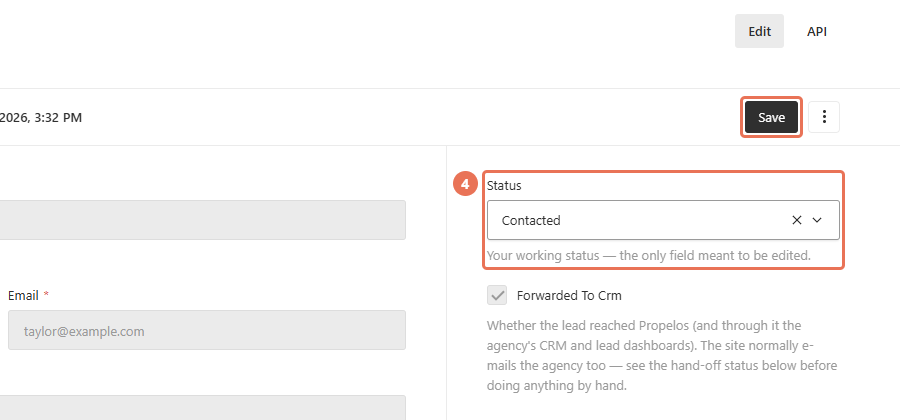 Select the image to view it full size.
For Gave up, check the CRM first and add it manually only if missing. Verify CRM arrival there even when the hand-off says Delivered.
Only homes still available in the website catalogue are included when the shortlist is sent. Saving homes in the browser alone does not create an enquiry; the visitor must submit Email my shortlist. One shortlist makes one lead, and Inmobalia can associate up to ten property references while the message keeps the requested homes. If an email is missing, check Enquiries and the CRM before asking the visitor to submit again.