
More in Leads and CRM
PROPELOS CMS GUIDE
Connect your agency’s CRM
Validate and save an Inmobalia or Realworks connection, then check a test lead in your CRM.
Overview → CRM connection
In this guide
Send new leads to your agency’s Inmobalia or Realworks CRM. The connection is shared with your agency’s Propelos settings.
1. Open CRM connection
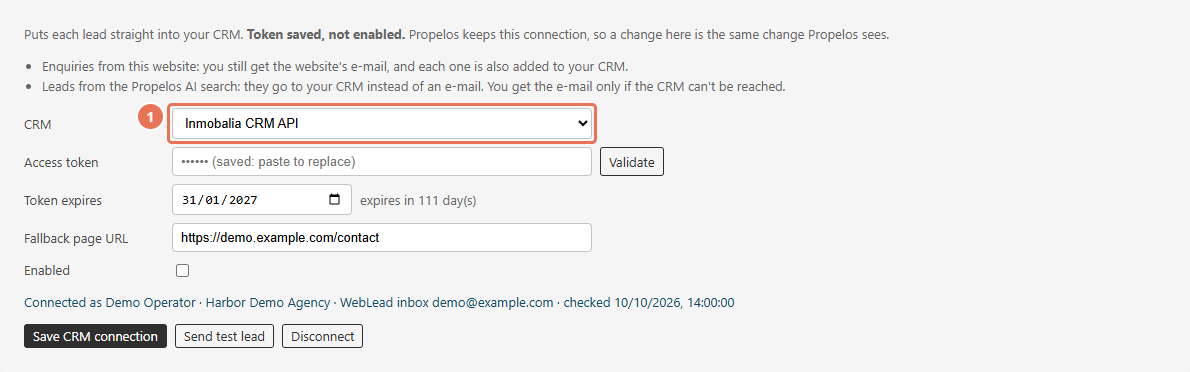
Click your website name above the sidebar to open Overview, then scroll to CRM connection. Choose Inmobalia CRM API or Realworks (NL), Wonen API in CRM.
 Select the image to view it full size.
2. Validate the access token
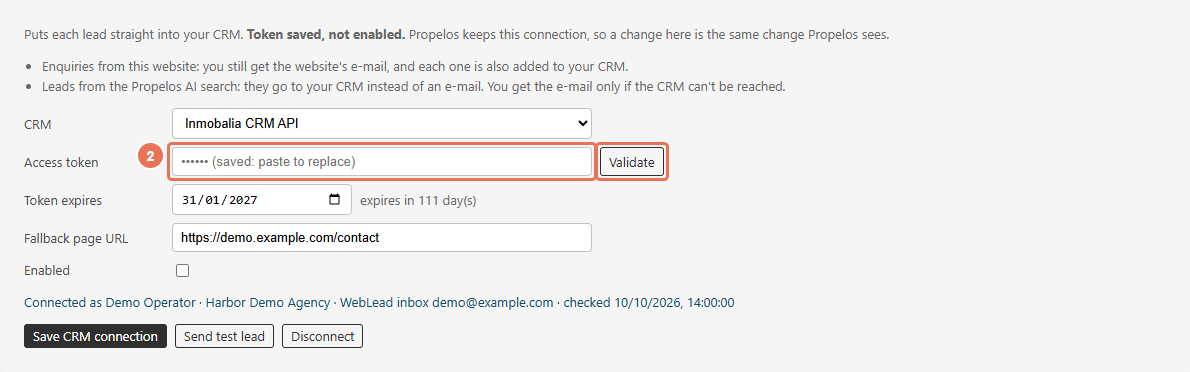
Paste your agency’s token into Access token, then click Validate and read the result. Validation checks the token; it does not save it.
 Select the image to view it full size.
3. Complete the provider settings
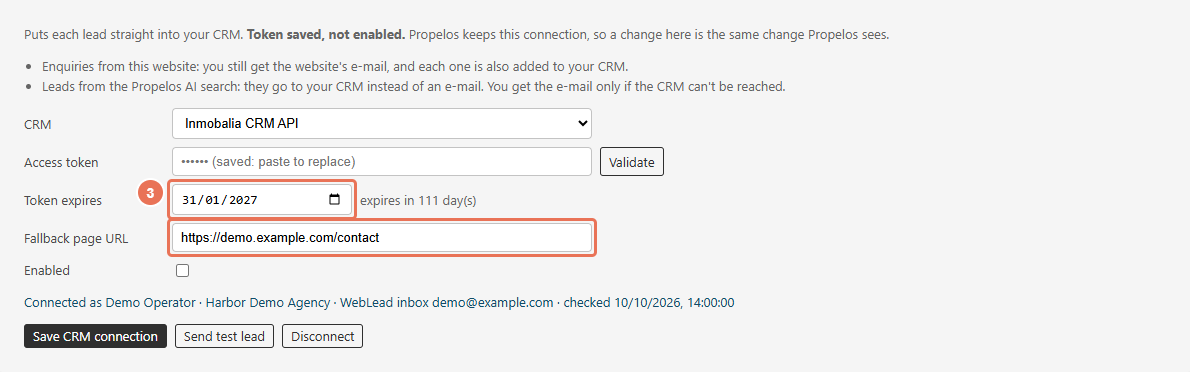
For Inmobalia, enter the actual Token expires date and a Fallback page URL for leads without a known page. For Realworks, enter Office code before enabling and add Referral label if needed; Validate fills the office code when it finds exactly one office.
 Select the image to view it full size.
4. Enable and save the connection
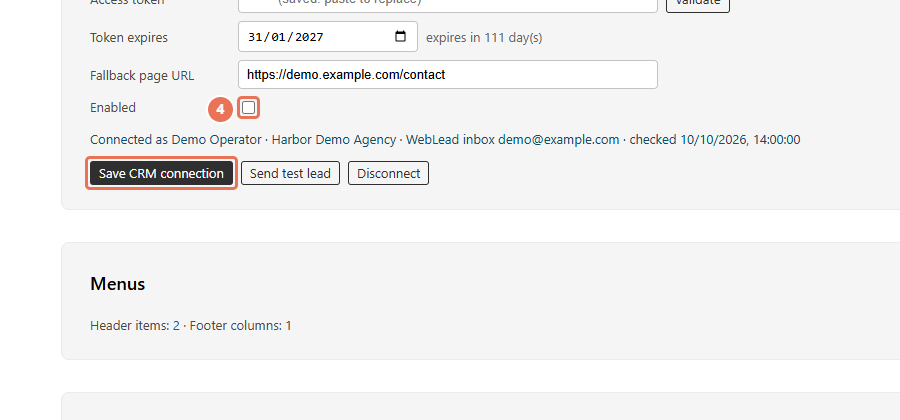
Tick Enabled, then click Save CRM connection. The saved connection is used for new leads; the token is hidden after saving, and leaving Access token empty keeps the saved token for that CRM.
 Select the image to view it full size.
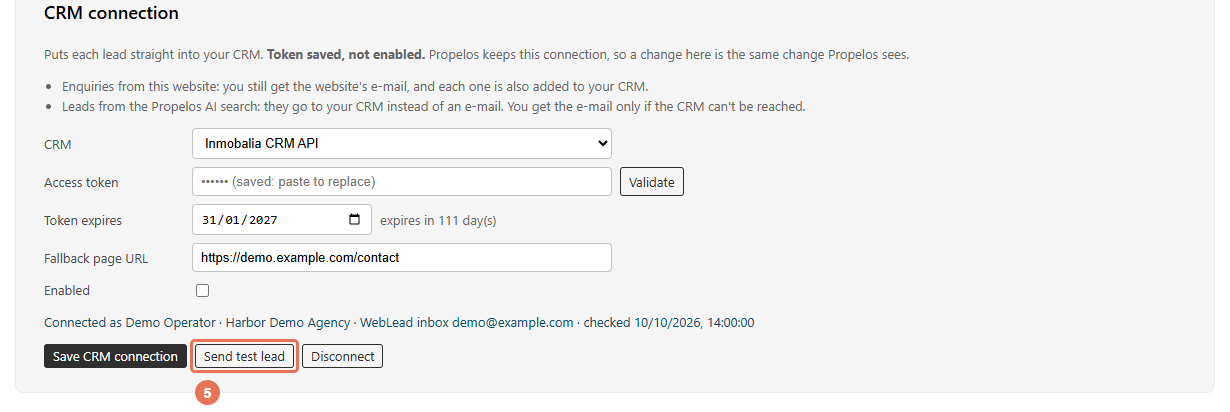
5. Send one test lead
Click Send test lead after saving and read the confirmation. Continuing creates a real test entry in your CRM: a WebLead in Inmobalia, or a relation and contact request in Realworks.
 Select the image to view it full size.
6. Check the result in your CRM
Find the test entry in the CRM and archive or delete it afterwards. If the panel says No answer yet, check the CRM before sending another test because the first one may still arrive.
A successful Validate does not prove lead delivery. Check Last delivery error and the actual CRM entry. If Realworks returns several offices, choose the code for the office that should receive the leads. Token expires is a reminder; it does not renew the token.
Website enquiry forms normally send your agency an email notification as well as handing the lead to Propelos for CRM delivery. Leads from Propelos AI search use the CRM, with email as the fallback if it cannot be reached.
To pause CRM delivery, untick Enabled and save. Disconnect deletes the saved token after confirmation and returns new leads to email; existing delivery history stays. When switching CRM providers, paste the new token and complete that provider’s settings. Keep tokens out of support messages.