
More in Leads and CRM
PROPELOS CMS GUIDE
Review newsletter signups
Read signup details and remove a subscriber when handling an unsubscribe request.
Leads → Newsletter subscribers
In this guide
See who signed up through your website’s newsletter form and when they gave consent.
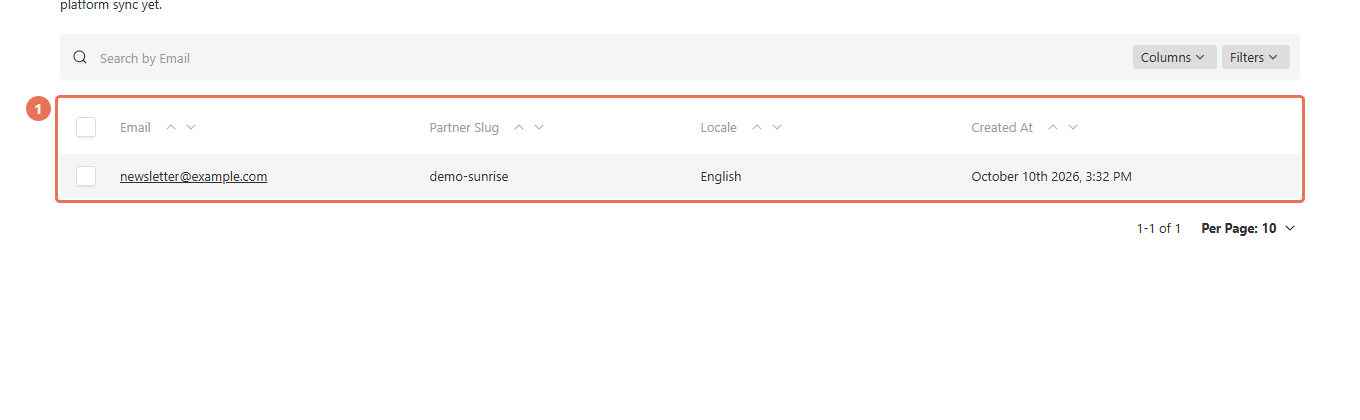
1. Open the subscriber list
Click Newsletter subscribers under Leads. This item appears when the website has a newsletter signup or already holds subscribers.
 Select the image to view it full size.
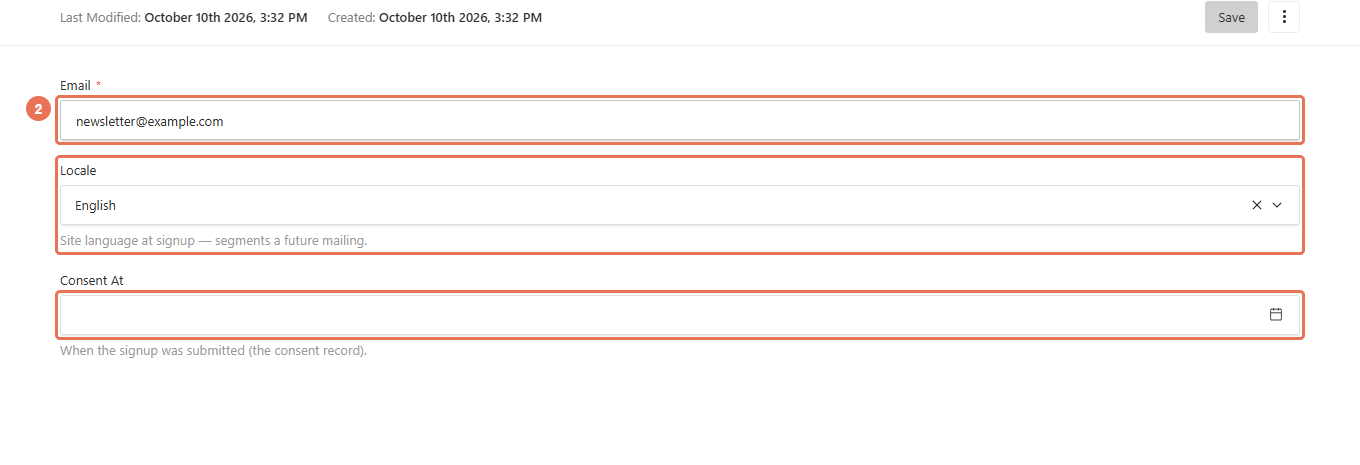
2. Read a signup
Click the subscriber’s email address. Review Email, Locale and Consent At before adding the person to your agency’s mailing platform.
 Select the image to view it full size.
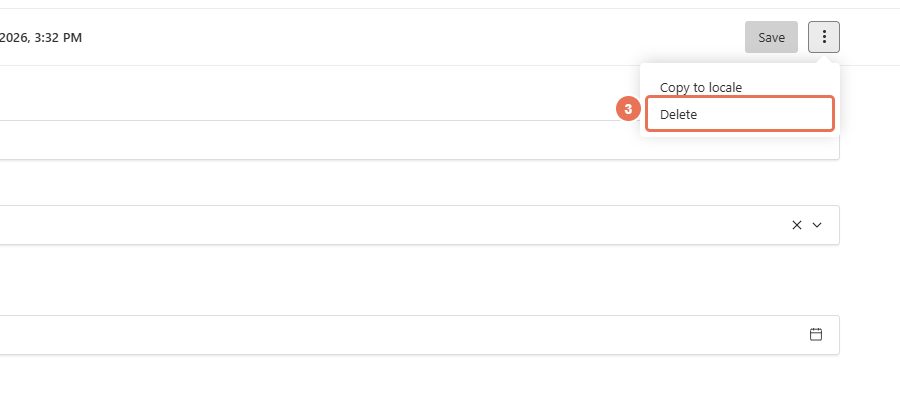
3. Remove a signup when requested
For an unsubscribe or erasure request, open the subscriber’s actions menu and choose Delete, then confirm. This removes the signup from the CMS; also remove or unsubscribe the person in any separate mailing platform.
 Select the image to view it full size.
The CMS stores signups; it does not send newsletter campaigns or automatically synchronise a mailing platform. For an export, use your agency’s agreed process or ask Propelos. A newsletter opt-in included in a contact message is shown with that message in Enquiries and may not create a separate newsletter signup.