
More in Languages and translation
PROPELOS CMS GUIDE
Translate a whole page or article
Translate saved English content into another language and review the result.
Content with Translate this page into a language
In this guide
Whole-page translation updates the translatable text in a saved item, including its headings and descriptions.
The translation follows the item's publication state. If everything is published, the translation goes live straight away. If the item has unpublished changes, the translation is added to them and goes live the next time you click Publish changes.
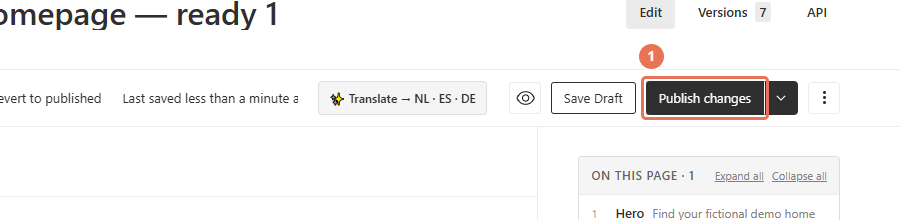
1. Prepare the English source
Open the Locale menu in the top right and choose English, then finish the English text. To put the translation live straight away, click Publish changes first and wait for publishing to finish. To review the translation before visitors see it, leave your changes unpublished instead.
 Select the image to view it full size.
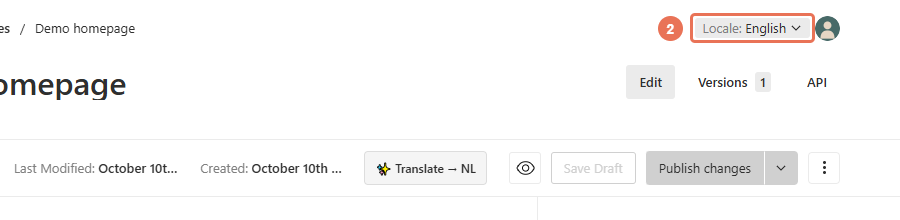
2. Choose the target language
Use the Locale menu in the top right to choose the website language you want to translate into. Keep a separate copy of any existing translation you want to preserve.
 Select the image to view it full size.
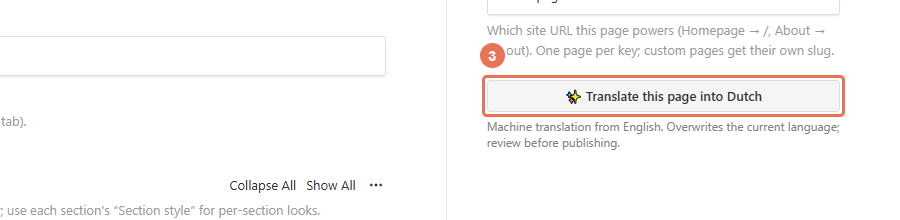
3. Translate the page
Click Translate this page into [language] on the right when you are ready to replace that language’s text. If the item has no unpublished changes, the translation goes live immediately; there is no separate approval step for the generated text. Otherwise it is saved with your unpublished changes.
 Select the image to view it full size.
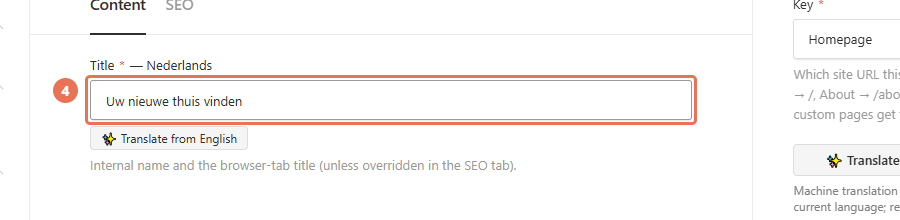
4. Review the generated text
Wait for the editor to reload, then check the copy and SEO details in the chosen language. If the status at the top of the editor shows Changed (or Draft for an item that has never been published), the translation is waiting with your other unpublished changes; click Publish changes when everything is ready.
 Select the image to view it full size.
For content with no drafts, whole-page translation can update the live website immediately. Existing article slugs are kept; a missing translated slug can be filled. Check links and image descriptions as well as the main text. Make corrections in the editor and publish them when ready.