
More in Getting started and access
PROPELOS PARTNER PORTAL GUIDE
Sign in to the Partner Portal
Open your Propelos account, choose an agency if prompted, and find the products assigned to it.
All Partner Portal users
In this guide
Sign in to the Partner Portal to read your reports, follow up enquiries or manage your Finder. Use your Propelos email and password; website CMS access is separate.
1. Enter your sign-in details
Open the Partner Portal. Enter Email and Password in the sign-in form.
 Select the image to view it full size.
2. Sign in
Select Sign In. If Choose an account appears, select the agency or product account you want. Last used identifies your previous choice.
 Select the image to view it full size.
3. Open the product you need
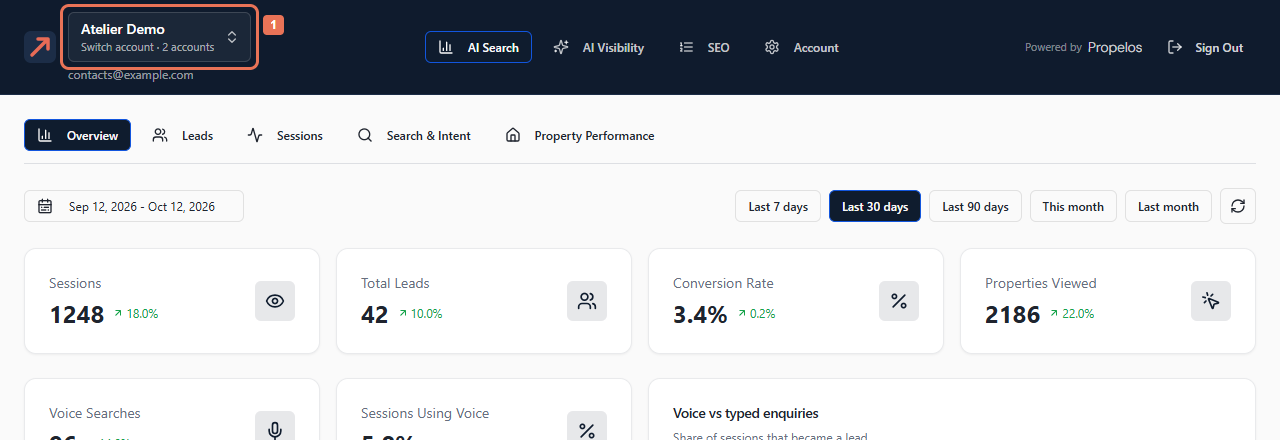
The account name and your email appear at the top. Select the available product area to open its reports. A self-serve Finder still being set up may open the setup steps first.
If you have several accounts, use the account name to switch between them. Select Sign Out when finishing on a shared computer.
 Select the image to view it full size.
If your account is not activated, accept your invitation first. Use Forgot your password? to choose a new password. If Propelos cannot respond, check your connection and try again.