
More in Getting started and access
PROPELOS CMS GUIDE
Choose or switch websites
Open the website you want to edit, or use Switch site if you manage several.
Accounts with access to more than one website
In this guide
If your account has one website, the CMS may open it automatically. If you manage several, choose the one you want to work on.
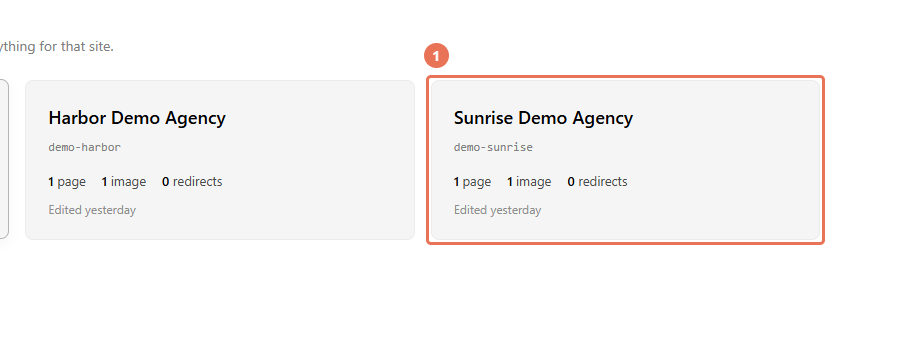
1. Choose your website
Select your website from the list shown after signing in.
 Select the image to view it full size.
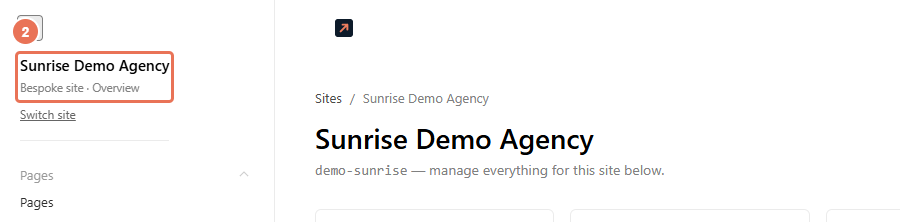
2. Open its overview
Click the website name at the top of the left sidebar to open Overview. This is also a quick way to return to the website’s main controls.
 Select the image to view it full size.
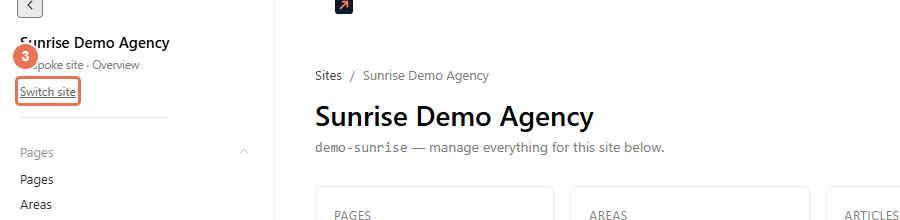
3. Switch to another website
Click Switch site below the website name, then select the other website from the list. Save unfinished work before switching.
 Select the image to view it full size.
Switch site appears only when you can choose another website. If a website is missing, contact Propelos to request access. To change the language you are editing, use the separate Locale menu in the top right.